
CodePen AI is an agentic coding assistant built right into the editor. Essentially: ask it for whatever help you need, and you’ll get it.
CodePen AI requires a PRO subscription.
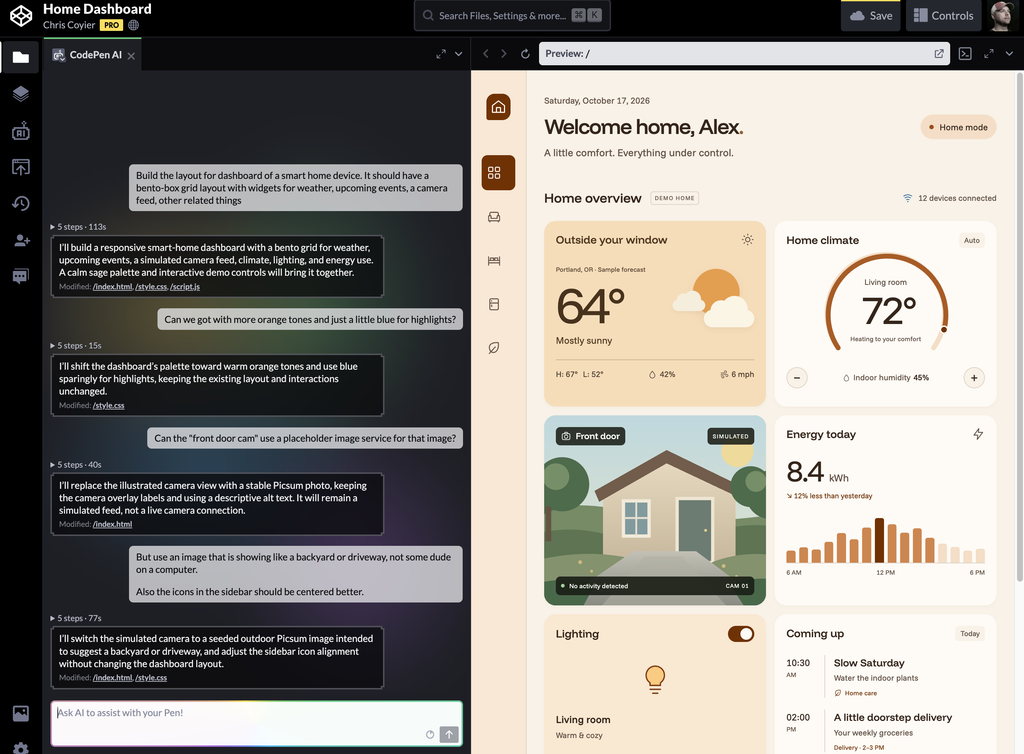
Examples
A typical example is to ask CodePen AI to build you something:
Draw a scene of a city park in SVG
Build the layout for a blog post announcing a new local program for helping teens with positive mental health.
Make a pattern of randomized overlapping circles with transparency and a wide variety of bright colors and opacity levels.
Equally common is to have it help you update existing code as you work:
Change the color theme on this site to be more based on a burnt orange with occasional highlights in a bright blue.
Update the structure of this to use CSS grid with layout breakpoints that make sense for mobile and tablet sizes.
Add an SVG filter to this element giving it a squiggly more turbuelant look.
You can also ask it to explain how some code works in case you’re trying to understand and learn what’s going on. Good on ya!
How does this event handler deal with touch events?
Debugging is also a very useful task for CodePen AI.
This image is overflowing the screen, can you fix that?
Providing Context
CodePen AI has access to get context from your code and how it renders when it needs it, but you can also provide specific context if you like. The main way to do that is by selecting code in an editor and clicking the “Add to AI” button that appears above it.
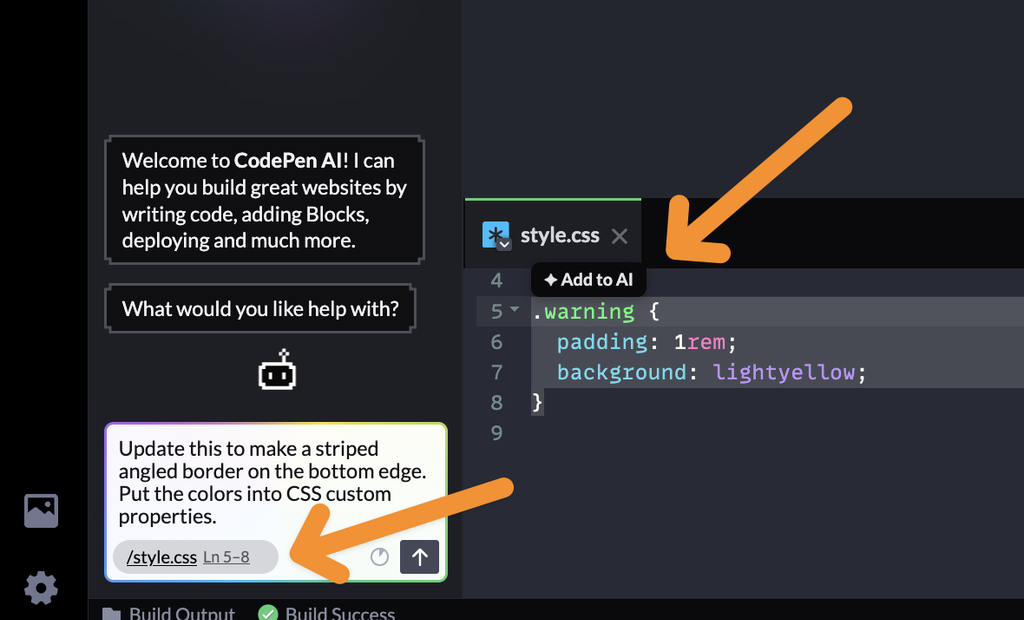
You’ll then see this added to the new prompt area. CodePen AI will focus on this code specifically in your request.
Using Skills
Skills are extra information you want CodePen AI to have when the occasion is relevant. For example:
- You make a
brand-requirementsskill that includes your brand colors, logo usage rules, typography choices, etc so that when new UI is built, it adheres to these decisions. - You find a skill online somewhere like skills.sh you want to make available to a particular Pen.
- You make a
placeholder-textskill that explains how you want dummy text to be created when you ask for it.
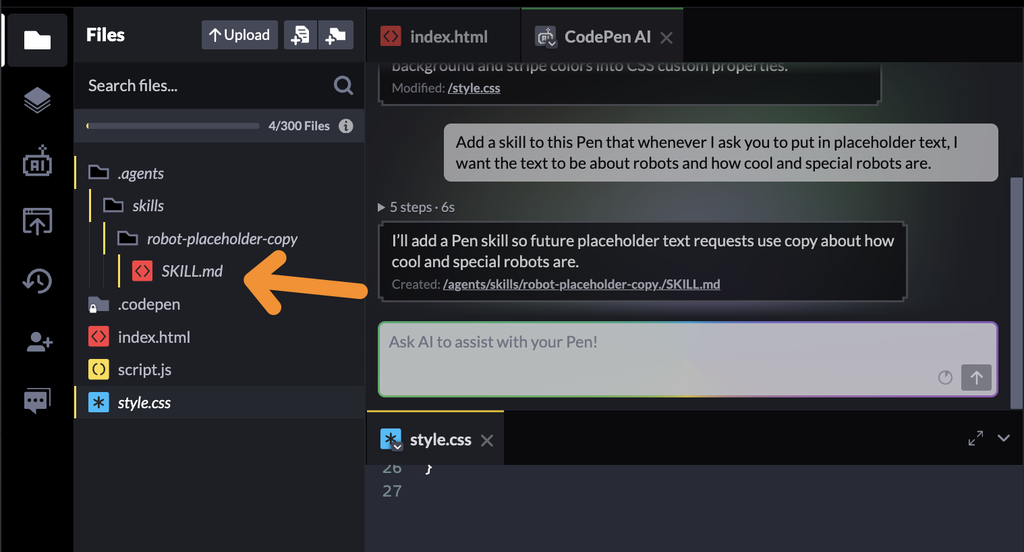
You can put a skill for CodePen AI to use in your Pen at:
/.agents
  /skills
    /name-of-skill
      SKILL.md
If you ask CodePen to make a skill, this is also where it will put it.
---
name: robot-placeholder-copy
description: Applies when the user asks for placeholder text in a Pen.
---

When the user asks you to add placeholder text, make the text about robots and how cool and special robots are. Keep it appropriate to the page and the requested format.Code language: Markdown (markdown)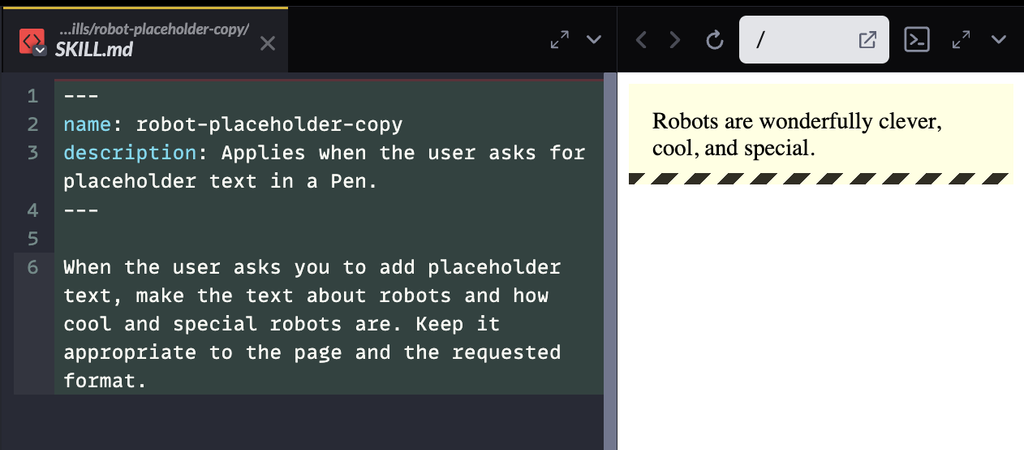
Using CodePen Itself
You can ask CodePen AI about CodePen itself. It knows how CodePen works through and through.
How do I deploy this Pen?
How do I share this Pen with only the preview open?
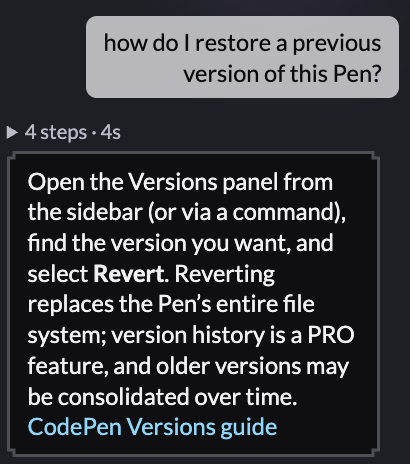
How do I restore a previous version of this Pen?
Limitations
You can’t ask CodePen AI to do anything nefarious. You can’t ask it about last night’s baseball scores. You can’t ask it personal questions or about the weather. Honestly, you shouldn’t even try, but if you do, it probably won’t even try to help.
You need a more general-purpose AI chatbot for that.