Ryan Mulligan’s article Transition to the Other Wide with Container Query Units is some solid CSS catnip for me. Just this base thought is fun to think about: how do you move an element from flush-left to flush-right when the size of the container and element are both unknown (which is typical).
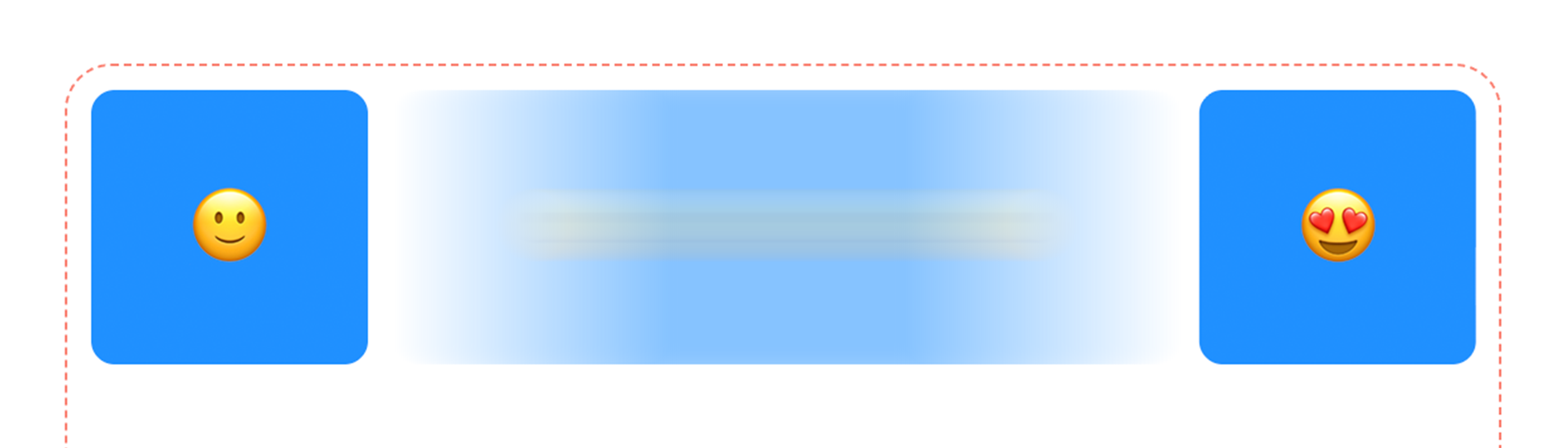
It’s like you want to have left: 0; as a starting state and right: 0; as an ending state, but as those a different properties, you cannot animate between them. You could have left: 0; as the starting state (or nothing, as that’s default) and left: 100%; as the ending state, but that’s not “flush right”, it’s “align the left edge of the element with the right edge of the container”, which isn’t quite right. A good fix for this is to make left: 100%; translate: -100% 0; the ending state! Kind of a classic. The -100% of the translate refers to the width of the element, so it sucks it back to the left “one element’s worth”, which ends up with flush-right alignment. Cool.
That solution is maybe a little funky though. Personally, I don’t love how there is a use of two “100%” values that just-so-happen to mean different things, and they are sitting right next to each other. Ryan presents a bit of a better solution in making the container a literal container with container-type: inline-size; so you can use container units inside, then moving the element with translate: calc(100cqi - 100%);. The different units there, and the single declaration, do feel better to me.
That’s kinda where Ryan stopped, but he did mention View Transitions at the top of the post, and that’s interesting to me because of how I opened the 2nd paragraph above. View Transitions don’t really care how you move something from one state to another, it just looks at the before and after states and tweens. So we really could do left: 0; and right: 0; as the two states and let the movement happen between them. But now we’re talking JavaScript of course, so we’ve got to use JavaScript events. Tradeoffs all around!
While I was playing with it I put all three ideas into a Pen, because, uhh, duh.
While that kinda stuff is a little cutting edge, it’s not nearly as much as the rest of these HOT LINKS I’ve saved for you.
There is a thing called Scroll-Triggered Animations now. Scroll-Driven Animations are already very cool, but those attach a timeline to scrolling position in one way or another. With the “Triggered” varietal, the animation can keep a duration-based timeline, but just be kicked off when a particularly element becomes visible (which itself has lots of control points). I like looking at really dumb easy implementations to get it, so I made my own “Wave at the Bottom” demo. Bramus’ Fly-In Text should make the point strongly as well.
CSS Grid Lanes “are here” as they say. They work in Safari and are flagged in both Safari and Firefox. This is the thing that’s basically “masonry” layout. Nice simple (yet powerful) final API. And you can use it pretty easily now, because the fallback is still just a grid layout. I used it on a redesign of my personal site.

Perhaps you’ve heard of customizeable <select> menus now. They are absolutely awesome. You have full CSS control. And for the most part, all of you fine sensible people will do sensible and tasteful things with it. But as it’s an interactive element, it absolutely begs to be messed with, so we’re seeing wild experiments like Chris Bolson doing a 3D globe selector for countries and Temani Afif turning a select into a shooting range.
But there is more newness afoot here. Brecht De Ruyte explains we’ve got <select multiple> now too. The UX of this used to uhhhh kinda suck turds, but Brecht’s demos are proving that they can be pretty great now.
Plus! Safari now supports customizable selects too, so hooray for that.
CSS having @function now is pretty cutting edge. It unlocks some new syntax and ideas, with has its ups and downs as far as DX. But people are really putting it to work in cool ways.
Sindre Sorhus has “a collection of useful CSS custom functions” (see them directly here). Mostly one liners! Makes me think how we might need to start tree shaking CSS.