First corner of the new year, so, ya know:
✺◟(^∇^)◞✺
I feel like we should do CSS for this one. It’s easily my favorite technology thing and basically BFFs with the spirit of CodePen.
In brand-spanking-new news (gnu neues?) the whole “masonry” saga is starting to come to a close. The naming is (drumroll please):
.container {
  display: grid-lanes;
  grid-template-columns: repeat(auto-fill, minmax(250px, 1fr));
  gap: 16px;
}
Code language: CSS (css)
I like it. Lanes. Like you’re playing a driving video game or something. The WebKit gang has the story, and they’ve got demos ready.
Try out Grid Lanes in Safari Technology Preview 234! All of the demos at webkit.org/demos/grid3 have been updated with the new syntax, including other use cases for Grid Lanes.
I’d credit David DeSandro for the name “masonry”, which is certainly a lot more stuck in people’s heads. He’s understandably disappointed in the new name. I can’t get past the idea that a brick wall (the “masonry” connection) doesn’t look like this looks (it’s wrong by 90 degrees). So color me a fan of the new naming.
In the “I had no idea this was coming” category is text-grow and text-shrink. I’ve probably used Dave Rupert’s (ancient) fittext more times than I can count in my career. First, viewport units kinda obsoleted it, but that required magic numbers to get just right. Now it’s going to… just work? Although I think it’s just a prototype so far. (via Adam)
h1 {
  text-grow: per-line scale;
}
Code language: CSS (css)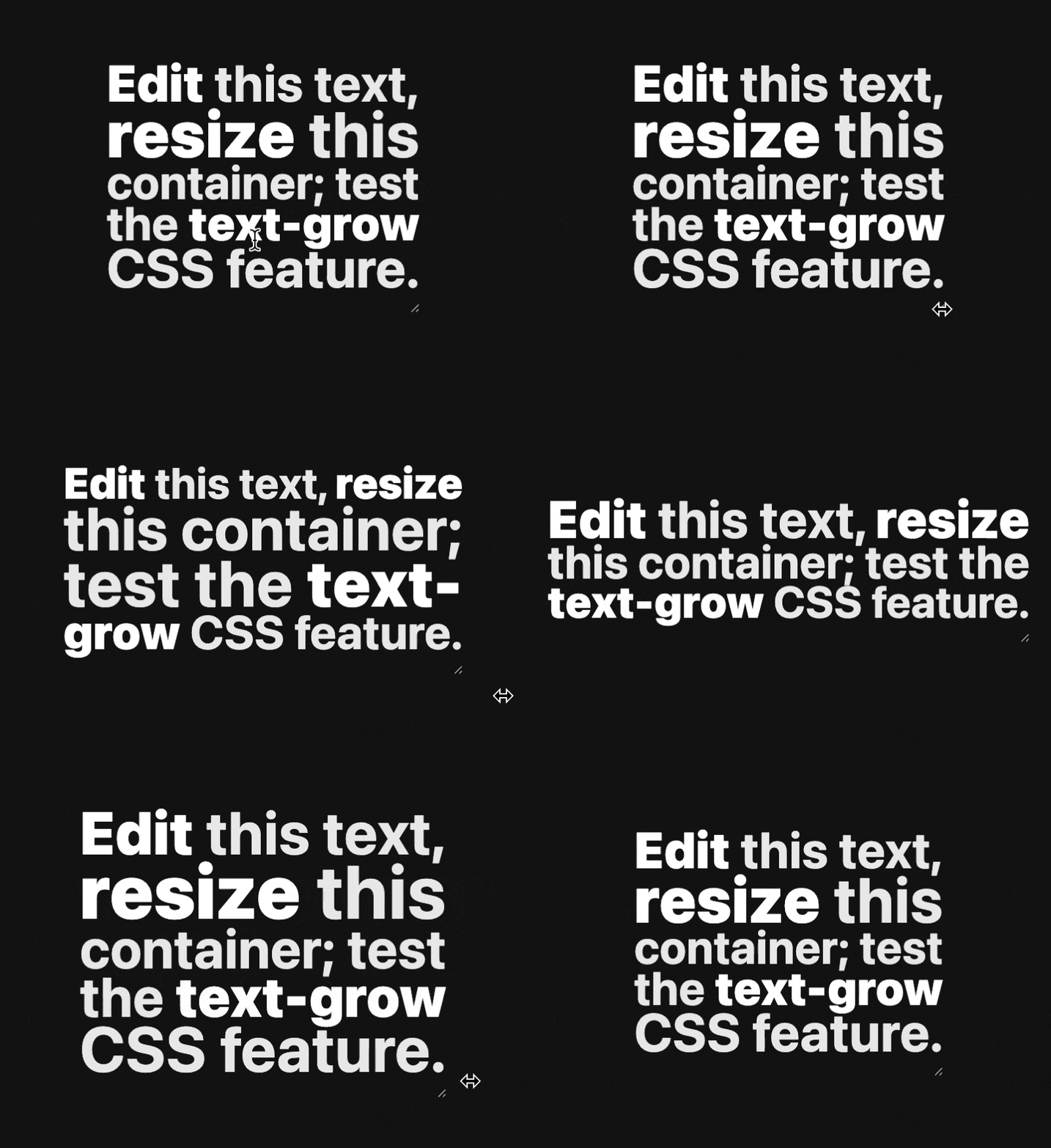
And another entry in the “I had no idea this was coming” is scroll-triggered animations. I’m very aware of scroll-driven animations and find that whole API extremely cool, but this is something else. Normally when you apply an animation it just runs immediately when the page loads, possibly with a manual delay. With the driven animations you can attach it to a timeline based on the scroll progress of an element or the position related to the viewport. With this, you can also have it triggered instead. A trigger is a custom ident like:
animation: my-animation 0.5s;
animation-trigger: --thing-in-view play-forwards;Code language: HTTP (http)
Then you create that trigger:
timeline-trigger-name: --thing-in-view;
timeline-trigger-source: view();Code language: HTTP (http)
Which could be the same or a different element. Cool. I obviously love that there is a bunch of demos in a Collection.
I was aware of (newly) customizable selects and I’ve had my own plays with it, but Brecht De Ruyte is the master. I’ll link up part 4 of his so-far-five-part series on the matter. This is what’s happening:
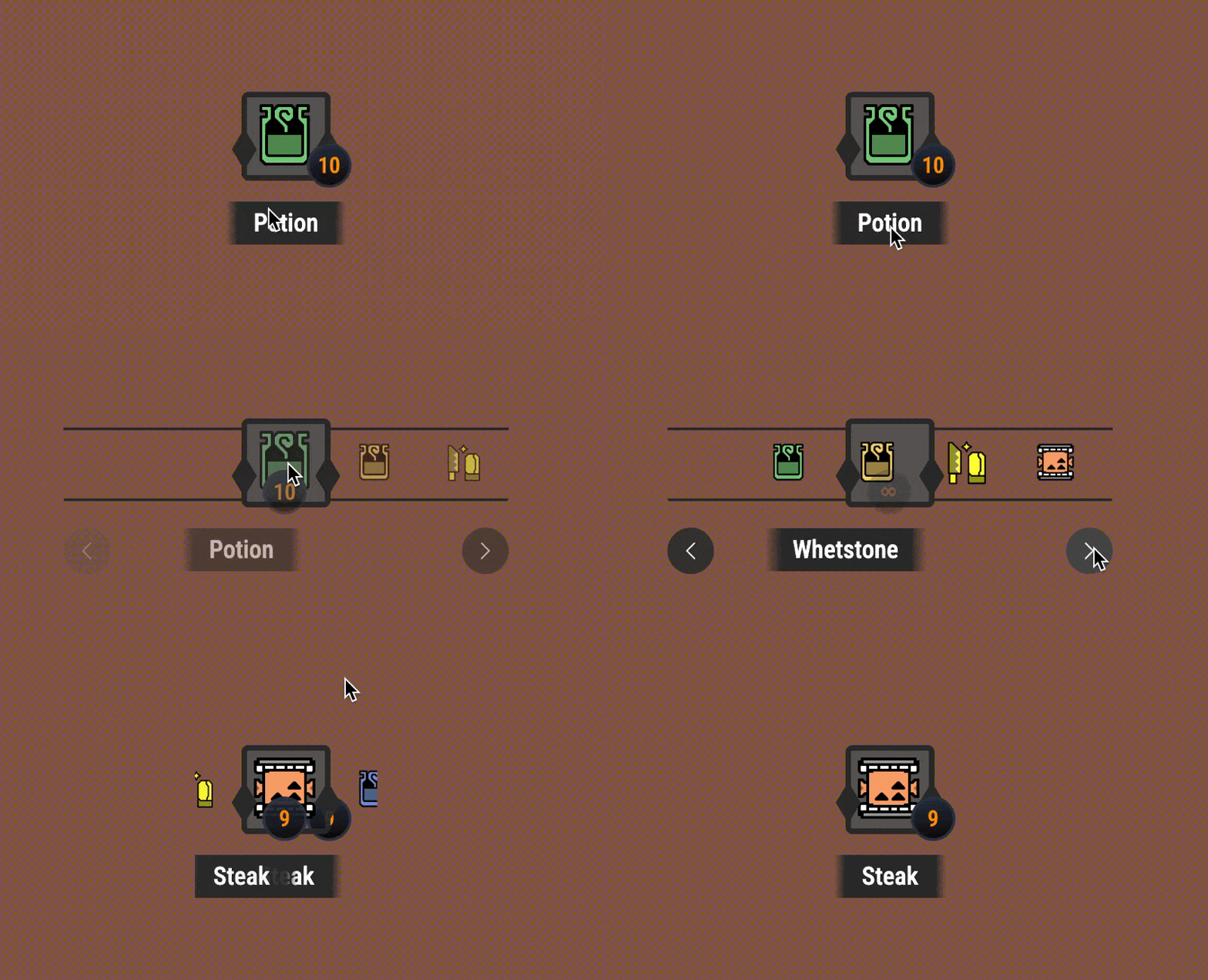
Like: whaaaaat. But I suppose I could have guessed. At one time CSS gave us a :checked selector and HTML has labels-connected-to-inputs and people used those things to build absolutely amazing things. There is much more interactivity on offer in a <select>